
Adobe Commerce 2.4.9 is primarily about signaling the product’s future direction rather than adding new features.
Most upgrades are judged by changes you can see in the store. This one is different. The focus is on how the system operates internally, ensuring it integrates seamlessly with other technologies and improves payment reliability.
This release is an early alpha version and is not intended for production use. It may contain bugs or incomplete features and should not be used on live sites. It is intended for experienced users who want to preview and test upcoming changes.
Adobe is making these changes because the underlying technology is advancing. Newer versions of PHP are coming out. Messaging systems are changing. Old software components are becoming harder to maintain.
Version 2.4.9 addresses these challenges in the core system.
The release concentrates on three areas.First, strengthening payment flows to reduce failed transactions Second, update the system to reduce future issues with legacy software components.Third, ensuring the system aligns with industry standards.
This blog focuses on the practical impact of these changes. If you manage large Adobe Commerce platforms, this release provides early signals to inform your roadmap.
How do payment changes in Adobe Commerce 2.4.9 improve reliability?
The payment updates aim to reduce failed payments and make Braintree payments easier to track.
Customers can now vault Google Pay cards from their account area when Google Pay vaulting is enabled. Saved Google Pay cards will appear in the saved payment methods, can be reused during checkout, and can be deleted by the customer.
Magento Admin now includes a direct link from each order to its corresponding Braintree payment. The link uses the store’s ID and the order’s payment ID.
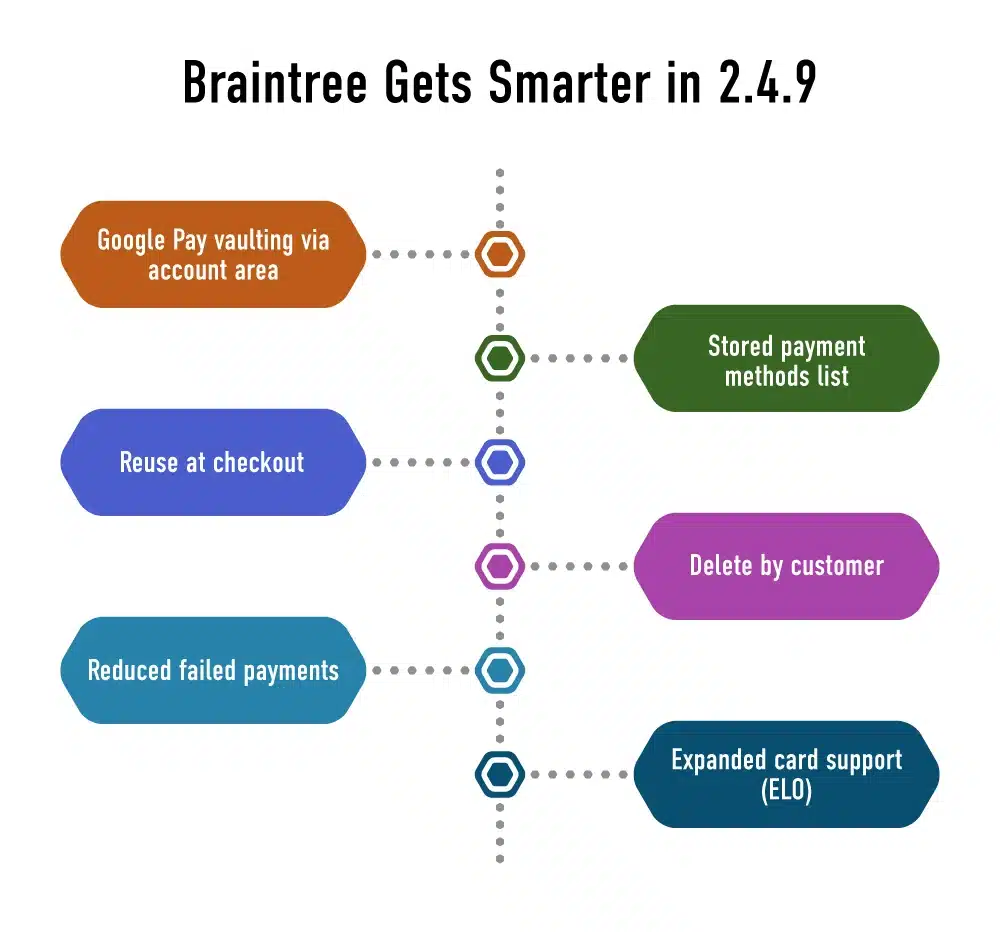
Smarter Braintree payments with vaulting reuse and updates support
Support and finance teams can move directly from the order to the payment record without searching multiple systems.
A new Real-Time Account Updater has been added for saved Visa, Mastercard, and Discover cards.
When banks change card numbers or expiration dates, Magento automatically updates the saved cards. This will prevent any subscription issues caused by outdated credit card information.
Admins can enable ELO use in the credit card settings. Customers can now place orders using ELO cards without any custom development.
For businesses with high sales volume, this will result in fewer payment issues and less work for support teams.
Why are framework changes the most strategic part of 2.4.9?
These changes affect Adobe Commerce’s ability to support future versions of PHP and related technologies.
Core Platform Changes
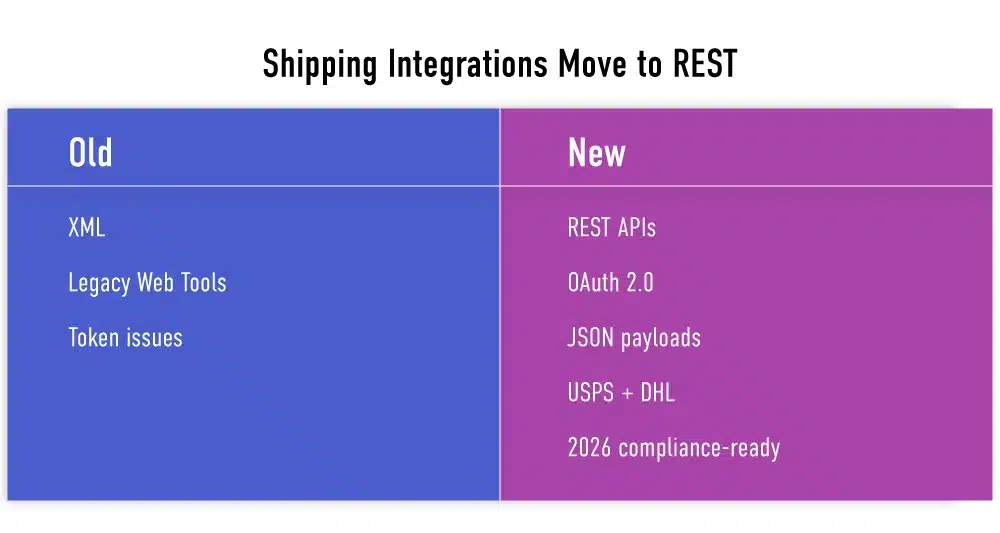
Shipping integrations move from legacy XML to REST APIs
Adobe has replaced the Laminas MVC component with its own built-in version. This allows Adobe to avoid relying on third-party software and to control how the system handles requests. This also makes it easier to manage in the long run.
Adobe is evolving the messaging infrastructure, introducing Apache ActiveMQ support alongside existing RabbitMQ patterns, signaling a shift toward enterprise-aligned messaging over the long term.
On the frontend and admin side, Chart.js is now updated to version 4.5.0. This reduces reliance on older JavaScript libraries and improves overall browser support.
Anticipated benefits
- Improved core stability.
- Improved management of dependent software components.
- Improved forward compatibility
Regions that may require attention
- Custom modules extending Laminas MVC components
- System integrations that are highly dependent on RabbitMQ
- Admin customizations that are based on older JavaScript behaviors
Development teams should review custom modules for these changes early in the development process. This helps to avoid problems in the later stages of the upgrade process.
For Magento development services teams, Adobe Commerce version 2.4.9 represents the start of a longer-term modernization process.
How do search and infrastructure updates in Adobe Commerce 2.4.9 improve platform compatibility?
Adobe Commerce now supports the latest system components to ensure the platform stays current with the most commonly used features among large enterprises. OpenSearch 3.x is now supported by the platform and supports OpenSearch 2.x. This allows IT teams to adopt the latest search engine versions as they become available, without having to update everything at once.
Valkey 8.x is now supported as an alternative to Redis. This allows teams to set it up and use commands just as they would with Redis. This is helpful for teams preparing for the end of support for Redis in some systems. It also makes it safer to store data and sessions going forward.
Development and testing are now using Nginx 1.28. The platform is also compatible with Varnish 7.7. This ensures Adobe Commerce is up to date with the most commonly used features among hosting companies today.
Infrastructure compatibility includes:
- OpenSearch 3.x with OpenSearch 2.x support.
- Valkey 8.x as Redis alternative.
- Nginx 1.28 for development and testing.
- Varnish 7.7 compatibility
For cloud installations, this makes it easier when hosting companies update their systems. For self-hosted installations, this provides more flexibility to use the latest software packages.
The key point is optionality. Merchants do not have to migrate right away. However, they can begin to validate against the latest components in lower environments. This makes it safer to update systems without having to do everything at once.
How do admin and storefront UI changes reduce operational overhead?
Most UI changes in 2.4.9 are small. Their impact is not. An Actions menu is now available in the Catalog Price Rules grid. This enables easier completion of multiple actions simultaneously and reduces the need for merchandising teams to navigate.
Spacing in backend grids is removed. Issues in mobile storefronts related to welcome messages overlapping category navigation are resolved. These are not trivial issues. They impact daily use.
There are also issues related to form checks and user experience that are resolved in registration forms, account pages, and admin pages. Missing error messages are now displayed correctly. Prefix and suffix fields that are disabled are no longer displayed in orders.
In large catalogs and busy admin environments, these changes are important.
Operational impact examples:
- Every confusing page creates internal support tickets.
- Every broken validation increases support calls
- Every extra click hurts merchandising
These improvements address these issues. Admin productivity is not directly quantified. However, it impacts labor costs, productivity, and error rates. Fewer unusual UI issues also mean fewer custom patches and fewer post-upgrade issues for teams that maintain Magento.
Why are the security updates in Adobe Commerce 2.4.9 mandatory?
As these affect the platform’s functionality, such as API protection and login. A patch for CVE-2025-54236 fixes a security issue in the REST API. Adobe had already released a hotfix. This fix is now included in Adobe Commerce 2.4.9.
A patch for CVE-2025-47110 fixes a security issue in email templates. This helps stop the misuse of template processing.
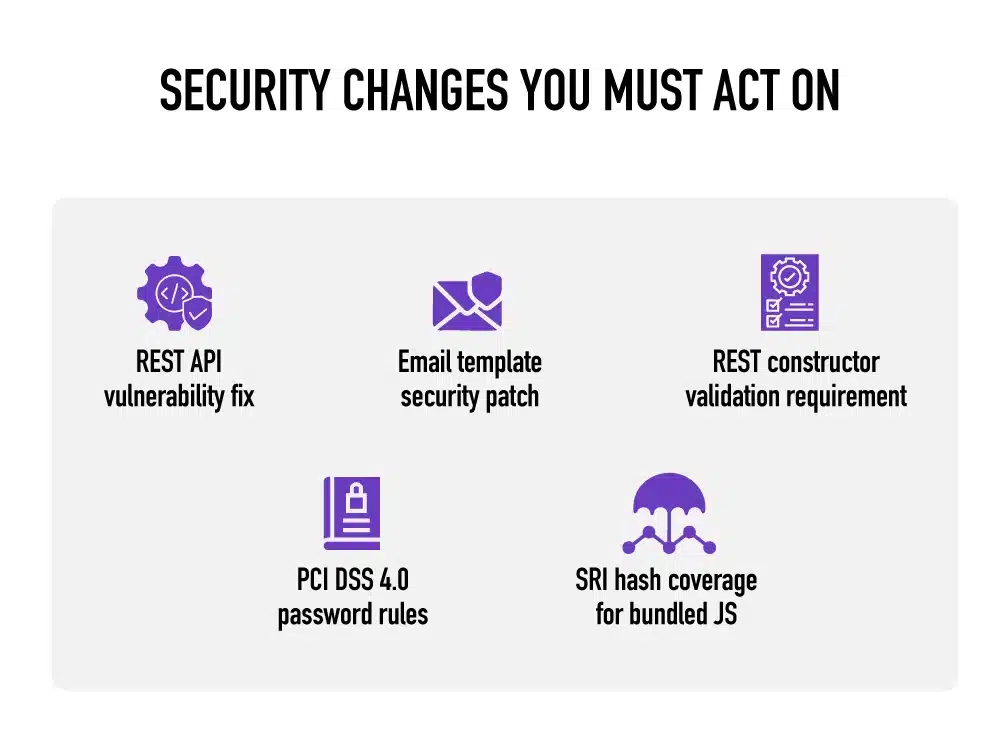
Mandatory security fixes protecting APIs, logins, and templates everywhere
The admin password policy now complies with PCI DSS 4.0 requirements. Admins can choose a minimum password length. The system checks passwords in forms and when saving settings.
The platform now checks REST API settings more strictly. Add-ons that do not comply with the new rules may not work. The security enforcement patterns introduced here will carry over into stable releases.
Extension developers need to check their custom APIs and how they are built. Ignoring these changes could break connections after future updates.
Security changes are not optional features. They become baseline behavior.
For merchants, it is important to note that reviewing these changes early helps prevent emergency fixes later. For the teams that support Magento, this release is significant because it highlights items that must be reviewed in every future security review.
Why are API and GraphQL fixes in Adobe Commerce 2.4.9 more important than adding new features?
APIs power online stores, mobile apps, marketplaces, business software, and B2B portals. If API responses are incorrect, issues may later manifest as pricing errors, inventory discrepancies, or reporting errors.
Adobe Commerce 2.4.9 addresses these issues rather than simply adding new endpoints. This helps build trust in the data shared between systems.
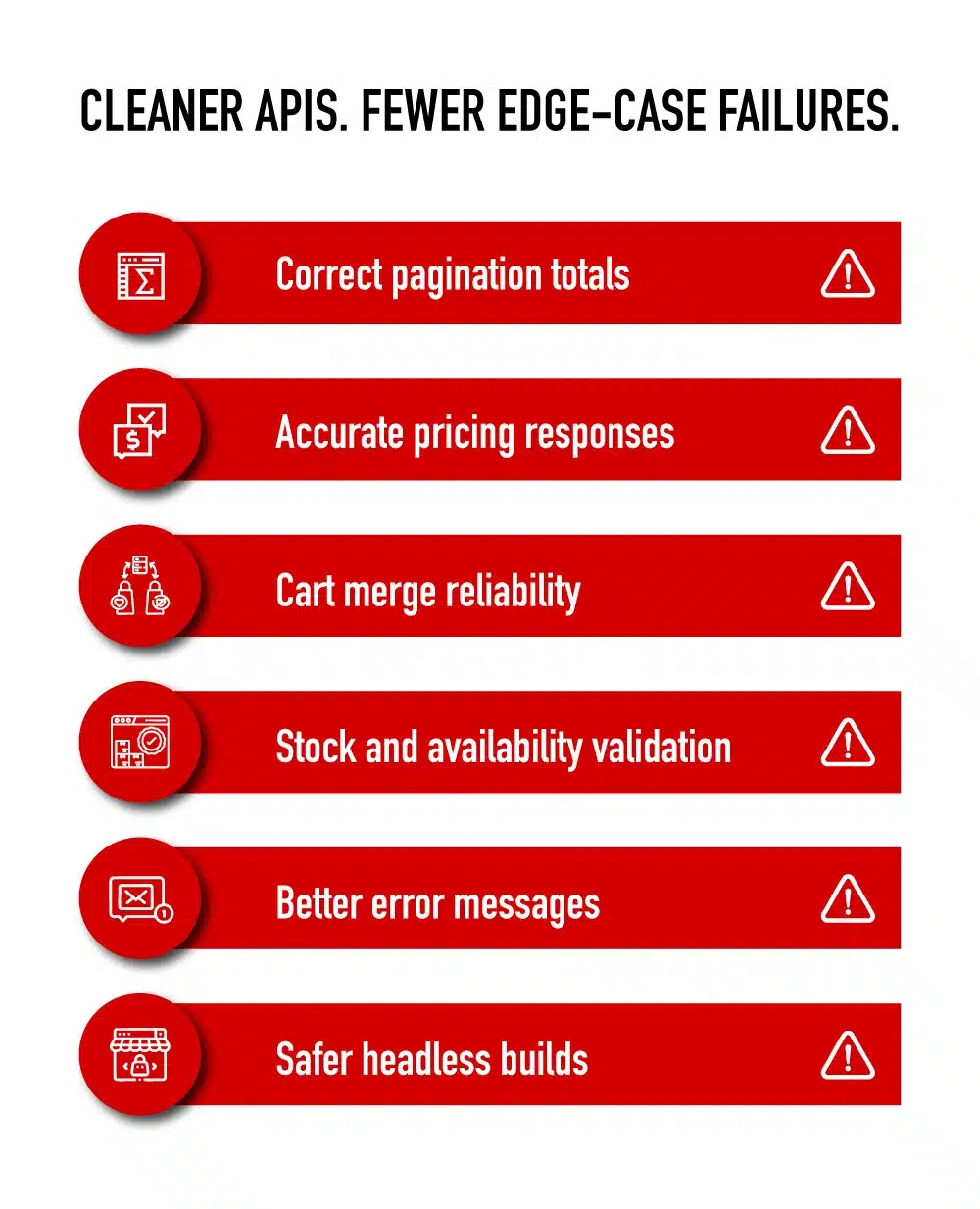
APIs return accurate data across carts and stock checks
Major improvements include:
- REST now shows the correct total number of items instead of just showing numbers based on page size
- GraphQL cart merge correctly combines guest and customer quantities
- Pricing and stock status answers are now correct in more unusual situations
- Custom option IDs in cart item APIs are now checked to make sure they are correct
- REST and GraphQL now give clearer and more consistent error messages
As a result, data moves more safely between integrated systems.
For headless and B2B projects, stability matters more than adding new features.
For Magento development services, these fixes mean fewer additional coding changes to avoid problems and less time spent fixing data issues later.
Why do performance and indexing fixes in 2.4.9 matter for daily operations?
Performance problems often build up over time. They show up as small delays, stuck processes, or occasional outages rather than a single major failure.
Adobe Commerce 2.4.9 reduces the system’s baseline workload and improves reliability.
Main improvements include:
- Fewer repeated database requests
- Indexers now run more reliably when system locks are turned on
- Faster sitemap generation for large catalogs
- Dynamic images are now created only for the websites they belong to
These updates help reduce background issues during daily operations.
Teams see:
- Fewer stuck processes
- Fewer problems with scheduled tasks
- Less need for emergency cache clears
For stores with large catalogs, these changes improve performance. Magento migration teams will spend less time adjusting performance after a migration.
For Adobe commerce development teams, less infrastructure firefighting.
Why is Adobe focusing on developer experience and code hygiene now?
A platform lasts longer when its code is of good quality and follows clear patterns.
Adobe Commerce 2.4.9 removes legacy code and features used for integration with other systems. It also updates the ways different parts of the system are built.
Major improvements include:
- Removal of old patterns that should not be used anymore
- Simpler ways to set up properties in code
- Clearer exception and error messages
- Testing tools are now more reliable
These updates do not introduce new features.
They make development smoother and easier, and make debugging simpler
- Fewer unexpected side effects
- Safer changes to code structure
What should merchants and partners do next with Adobe Commerce 2.4.9?
Adobe Commerce 2.4.9 is an alpha release. It is not for production. Its purpose is early understanding.
Some teams should explore it now. Others can safely wait. Both approaches are reasonable.
Merchants with heavy customization or headless builds will benefit from early testing. The goal is to see where custom code or integrations may break. Merchants running stable patched versions with low customization do not need to rush. Staying on a supported release is fine.
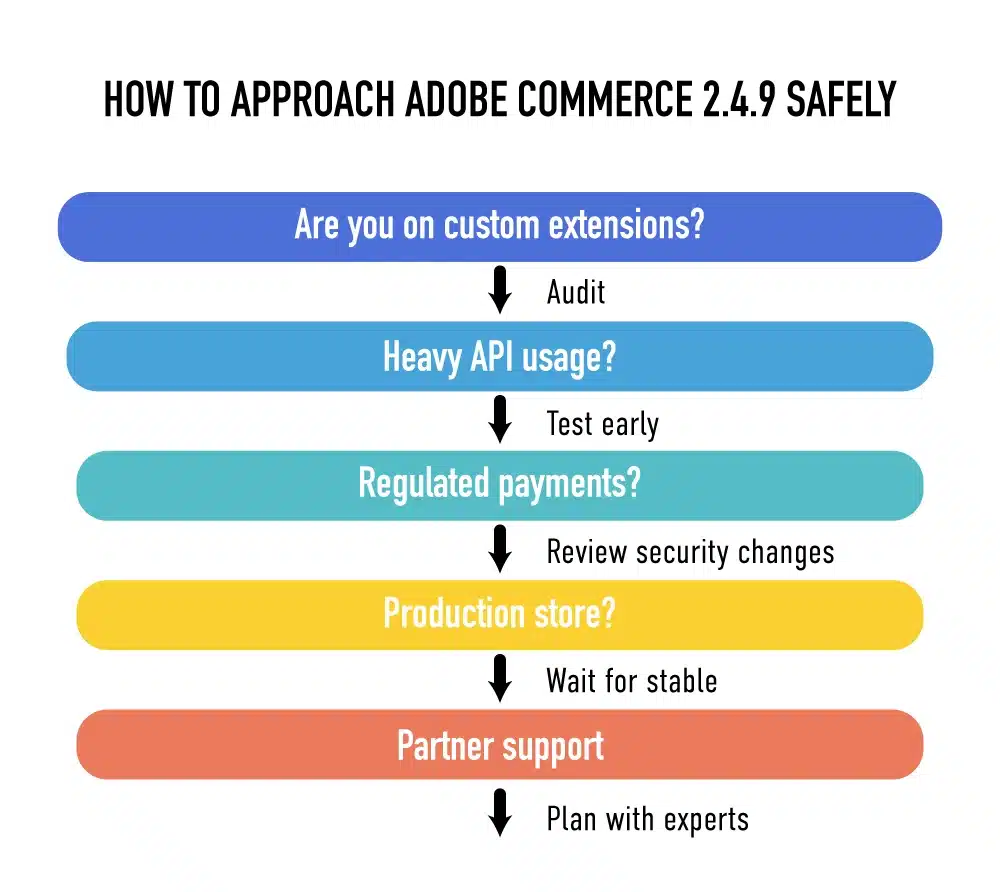
Simple path to assess risk before upgrading safely today
Each team needs to start with a mini internal audit. Identify the areas that usually carry upgrade risk. Custom extensions. Payments. Message queues. Search. Cache. APIs.
Create a quick risk list. This is what the future upgrades will be built upon.
Ziffity helps merchants and partners complete these initial audits and develop a safe upgrade plan. The aim is preparation. Not pressure.
The basic steps are as follows:
- Test 2.4.9 in a sandbox if your stack is complex.
- Audit custom extensions and integrations.
- Identify areas related to legacy frameworks or services.
- Build a simple risk list
Talk to Ziffity about 2.4.9 readiness
Ziffity offers alpha test support, extension compatibility checks, and upgrade planning to avoid last-minute fixes. Preparation today avoids last-minute fixes tomorrow.